What Size Lightning Cable Comes With Iphone. The mos spring lightning cable comes in lengths ranging from 1 foot to 10 foot, and prices range from $19.95 to $39.95. The length is not important.
Best Lightning Cables for iPhone XS and iPhone XS Max [List] from terragame.sportsavezar.com
The one that comes packed with the mouse looks identical to one that would come with an iphone. Previous get a report of your device use next power adapters. Or it can be the longer 2m version or even the shortest 0.5m version.
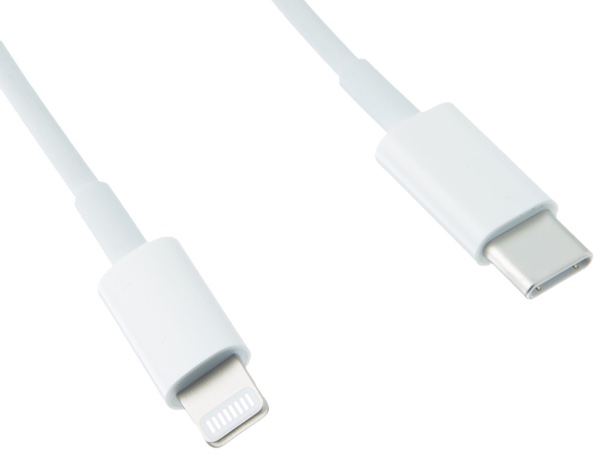
The Lightning Cable That Comes With The Devices Is The 1M Cable 3.3Ft.
That's great and all, but the included cable is only one meter (three feet) long. Yes, applecare+ as well as the standard 1 year warranty applies to. A standard configuration uses approximately 11gb to 14gb of space (including ios and preinstalled apps) depending on the model and settings.
To Buy One, See Here:
Available space is less and varies due to many factors. The charger and cable combo should charge the iphone 11 much faster than apples normal 5w charger. You can use it to sync or charge your iphone from your macbook or ipad pro.
Maximum Character Limit Is 250.
The lightning to usb cable does not need to be any specific size. Previous get a report of your device use next power adapters. Which length is the lightning to usb cable that comes standard with the iphone 5?
Lightning Cables Are Compatible With All Lightning Enabled Devices.
Please don't include any personal information in your comment. From apple the are available in 0.5m 1m and 2m. This is the end that connects to the power adapter, your car, computer, or any other accessory.
Cellular Technology Support Is Based On Iphone Model Number And Configuration For Either Cdma Or Gsm Networks.
The mos spring lightning cable comes in lengths ranging from 1 foot to 10 foot, and prices range from $19.95 to $39.95. I havent seen any precise measurements of the connector itself, but you can see from these iphone 5 blueprints (which come from apple for case manufacturers) that the width of the area the connector goes is 9.05mm (including the plastic housing). As we saw in the fast charge scam post we did in the past, we know that the full apple setup provided our iphone 8 plus with almost 60% charge.
Amazon Usb C To Hdmi Adapter . Lemorele usb c to dual hdmi adapter, type c to hdmi converter,hdmi dual monitor adapter 4k @60hz for macbook/macbook pro 2020/2019/2018,macbook air,chromebook pixel,surface book 2 $29.99 sold by lemorele direct and ships from amazon fulfillment. 3.8 out of 5 stars. USB C Hub HDMI Adapter Only 19.88 (Reg. 38) from www.raininghotcoupons.com Usb c to hdmi adapter,usb c adapter macbook pro accessories jzv hdmi to usb c with 4k hdmi usb 3.0 port usb c charging port usb hub usbc hdmi converter compatible for macbook pro macbook air ipad pro. Cablecreation usb c to hdmi cable, 3ft usb type c to 4k hdmi cable adapter for home office, compatible with macbook pro/ipad pro 2020 2019, surface book 2, dell xps 15, samsung s10, s9 plus, (not compatible with xperia series) 0.9m/black. 4.3 out of 5 stars.
Can You Use A Phone As An Xbox Controller . In this article we discuss the main games that are compatible with the xbox controller. To do so, you need the xbox one smartglass app, or if you have a windows 10 phone, the xbox app works as well. (How to Use & Connect) Microsoft Xbox Controller for PC from www.techinpost.com In this article we discuss the main games that are compatible with the xbox controller. You don't need to fight over controllers anymore, just use xbstream app, and enjoy the game with your phone! To do so, you need the xbox one smartglass app, or if you have a windows 10 phone, the xbox app works as well.
Xbox One Headset Adapter Box . Click on that and youll see sliders for headset volume, the headset chat. On supported consoles, some voice chat features may require xbox game pass ultimate or xbox live gold (memberships sold separately). Stereo Headset Headphone Audio Game Adapter For Microsoft from www.ebay.com For use with xbox x|s, xbox one and windows 10 devices. If you plug in your headset, press the xbox guide button, then scroll all the way over to the left (to your profile picture), you should now see a section called audio right above settings. Plug your favorite compatible headset into the xbox one stereo headset adapter and hear the action just the way you like it.


Comments
Post a Comment